Make-to-order ERP that keeps every project on budget
Turn a sales order into a project with drawings, BOQ, procurement, production, delivery, site work and milestone billing. You see BOQ against actual at every step, not at the end.
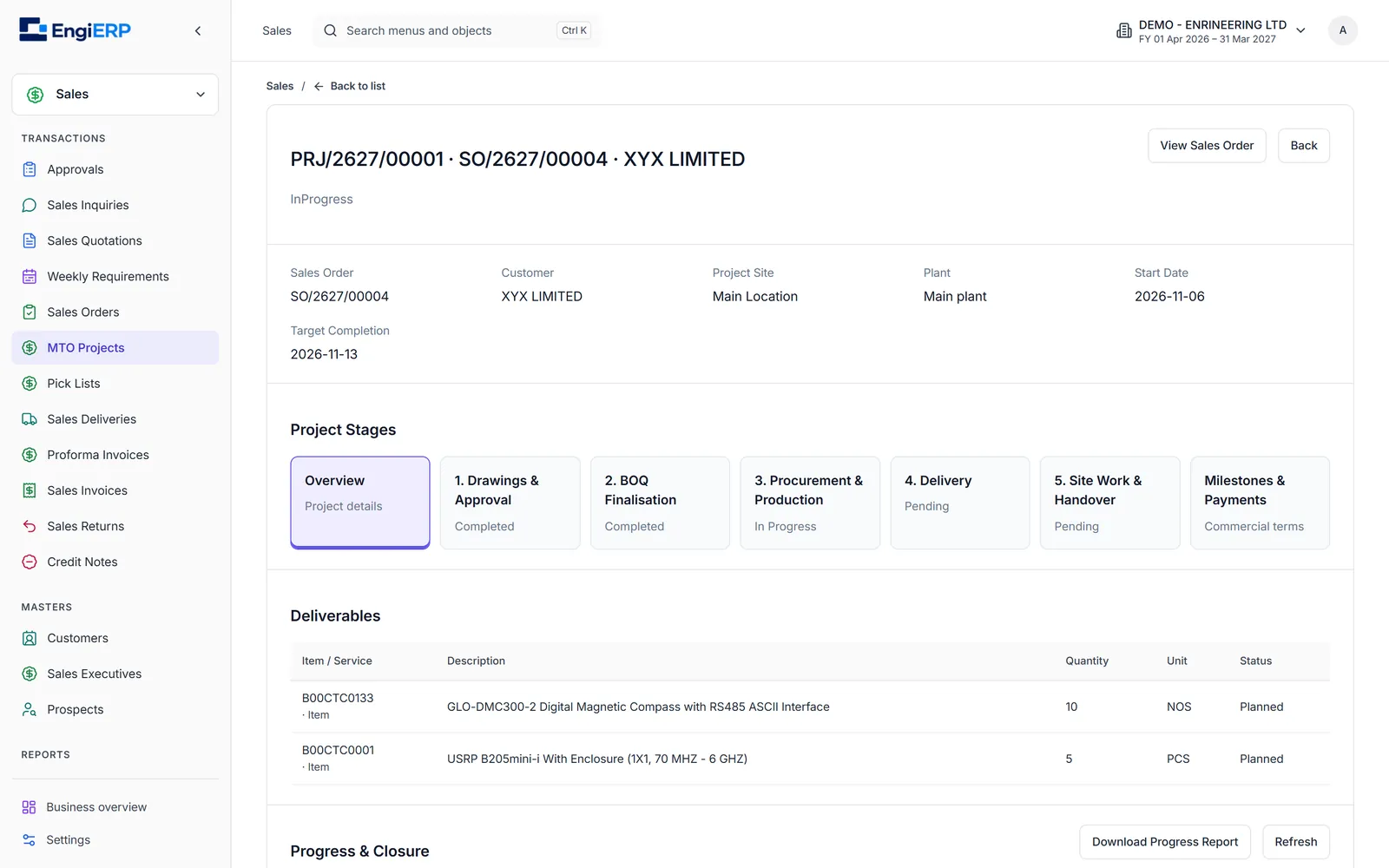
One screen for the whole life of an order
Each stage is a tab with a clear status. Later stages unlock as earlier ones are completed, so nothing is bought or built against an unapproved design.
1. Drawings & customer approvals
Register each drawing, upload the file, and record submissions to the customer with date, contact and reference. Record the customer's decision (approved, changes requested or rejected) with evidence. Each revision keeps its own files and history. Drawings are finalised only when every latest revision is approved.
2. Bill of Quantities (BOQ)
Build the BOQ in sections such as Frame, Panel or Site Installation. Mark each line Buy, Make or Outsource, and Factory or Site. Fill it from released BOMs or import it from Excel. Approval freezes quantities, rates and the drawing baseline. Changes go through an audited BOQ revision.
3. Procurement & production
Select BOQ lines and create purchase requisitions or production batches for exactly the quantity you need now. The approved BOQ caps what can be ordered, even when two people work at once. Material consumption is compared with the BOQ automatically, and excess issues need a reason.
4. Delivery, site work & handover
Record partial deliveries or material moved to the project site. Track site tasks with planned quantities and dated progress, and site material issues and returns. Capture customer acceptance with evidence to complete handover.
5. Milestones, payments & closure
Split the order value into milestones such as advance, production, delivery and handover. Certify milestones and link them to invoices and receipts. A closure-readiness checklist covers drawings, BOQ, delivery, open commitments, variance and payments before the project is closed.
Project reports
Download a complete progress report covering material, tasks, commercial status and evidence. See the original estimate next to the current approved estimate, and BOQ variance by section.
Built for businesses that quote, design and then build
- Special-purpose and packaging machine builders
- Pharma and process equipment manufacturers
- Structural and sheet-metal fabricators
- Control panel and automation companies
- Turnkey project contractors who manufacture and install
What owners tell us they want
- "Show me the real cost of this project today."
- "Stop purchase from buying more than the BOQ."
- "Which drawing revision did the customer approve?"
- "How much of this order have we billed and collected?"
EngiERP answers each of these from data already captured in the workflow.